
Measuring
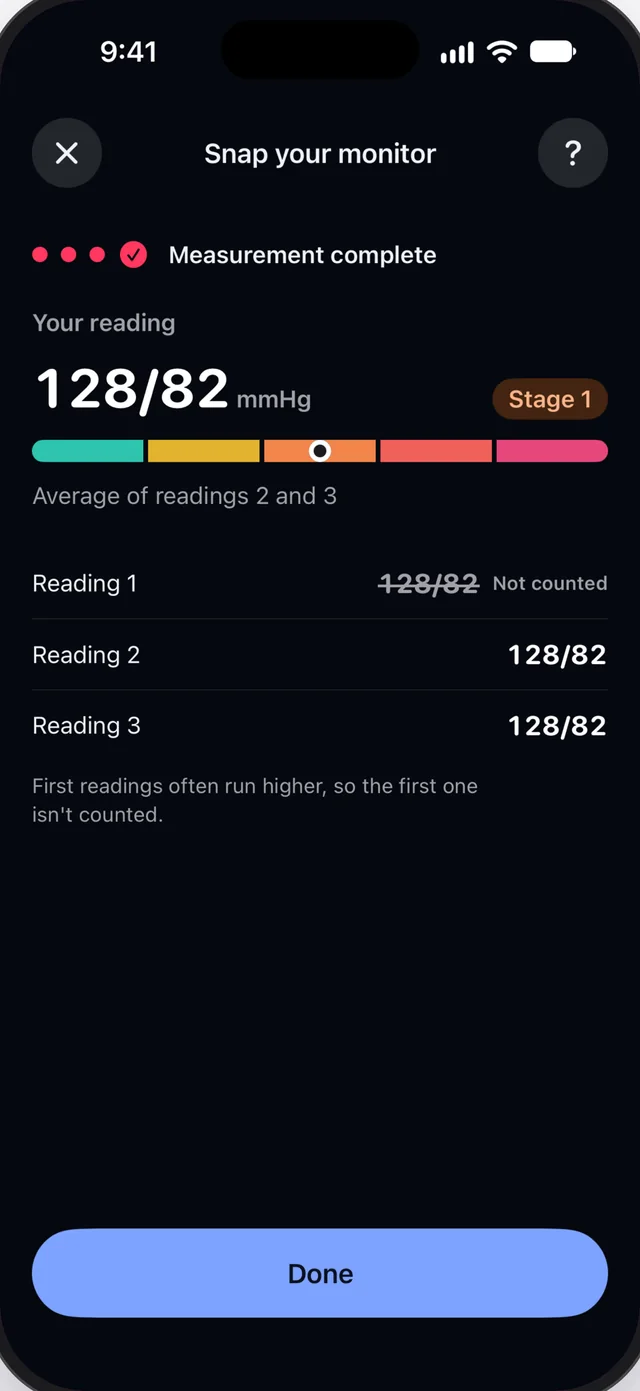
Three readings, one result
One reading, two averaged, or three with the last two averaged. Systolo times the rest between readings.
For iPhone and Apple Watch
Take a photo of your reading. And that's it! Check the numbers, save, and share a clear PDF report with your clinician.
You get 3 free snaps. Unlimited Snap, a one-time purchase, removes the limit.
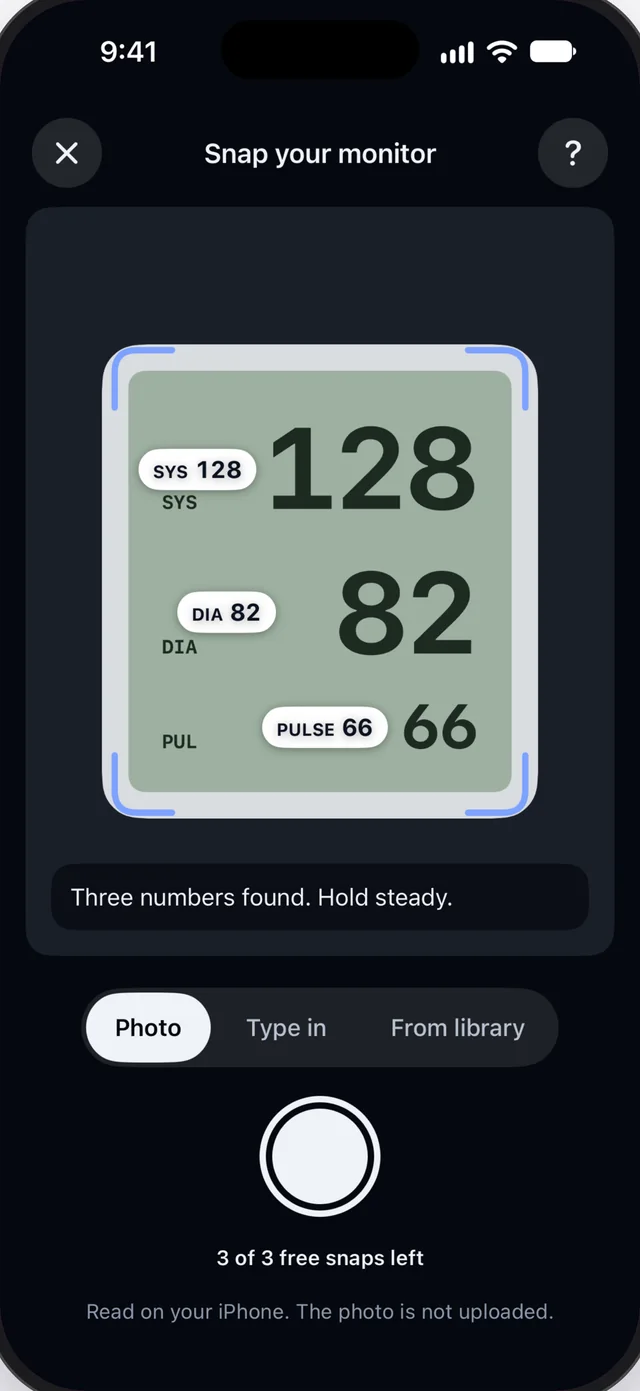
Use your own blood pressure monitor. Systolo does not measure blood pressure; it records what your monitor shows.
Point your iPhone at the monitor’s screen. Systolo reads systolic, diastolic and pulse, on your iPhone. The photo is not uploaded or kept.
You check every number before it is saved. A number Systolo is unsure about is marked for you to check.
No camera at hand? Type a reading in, on your iPhone or your Apple Watch.
Measuring
One reading, two averaged, or three with the last two averaged. Systolo times the rest between readings.
Plans
A 7-day appointment week or a 28-day log, with morning and evening reminders.
Charts
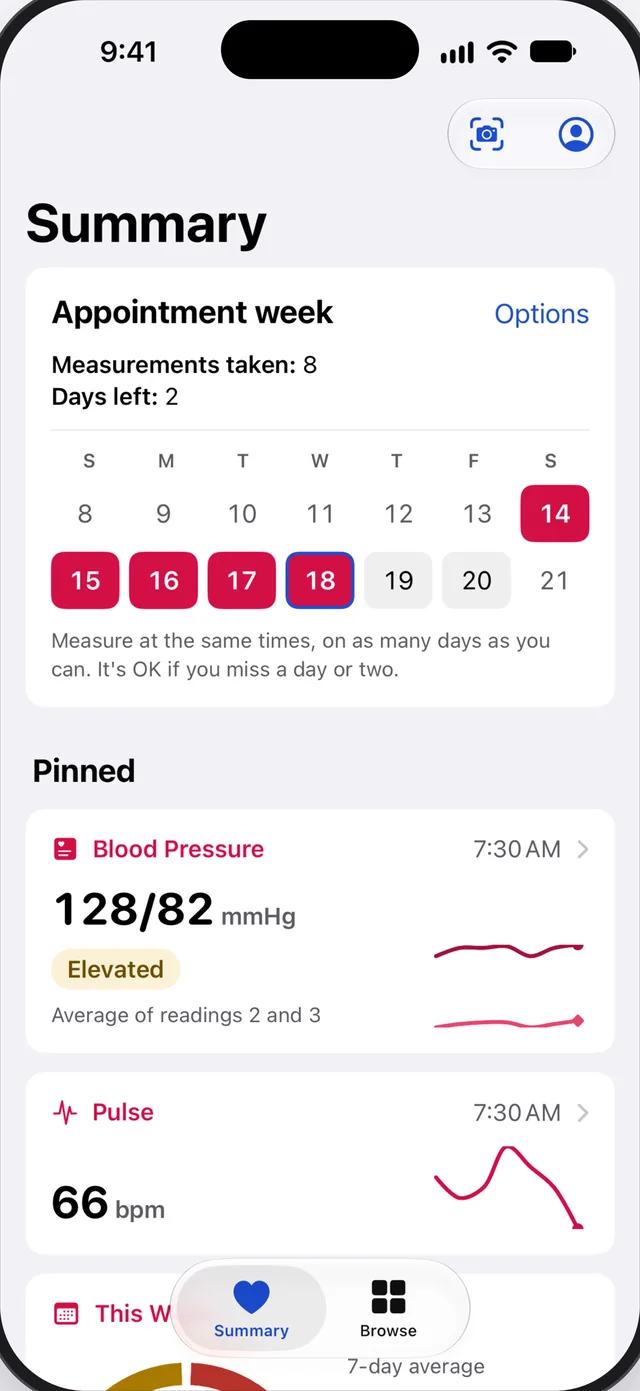
Charts by day, week, month, six months and year.
Each reading’s category under the American Heart Association (ACC/AHA 2017) or the European Society of Cardiology (ESC 2024) guideline, shown as information.
Summary
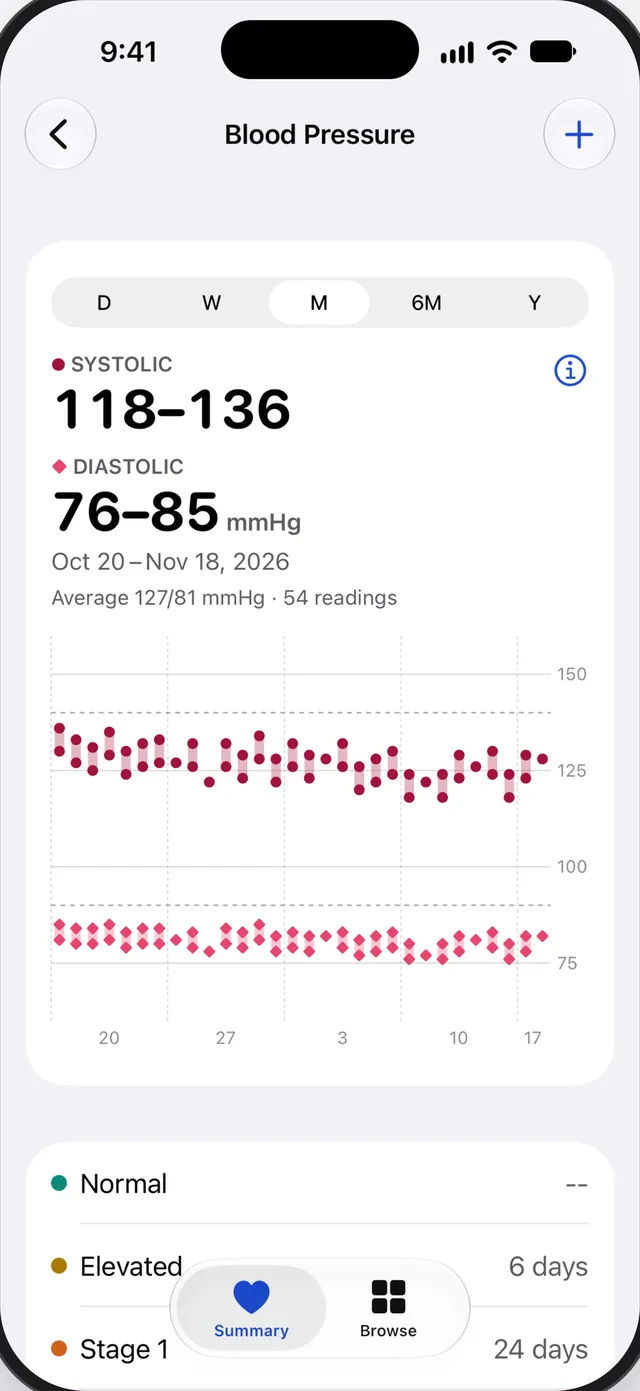
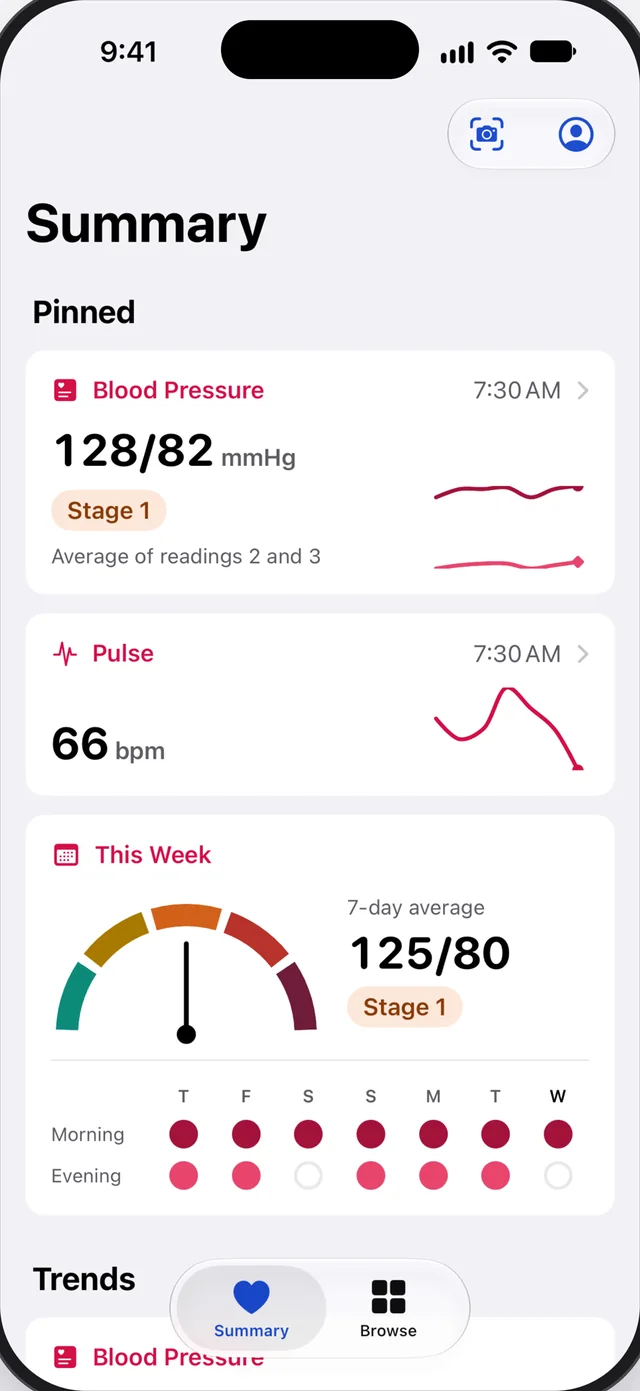
Latest reading, pulse and your routine.
Trends and highlights: the last 4 weeks against the 4 before, mornings against evenings.
A PDF report with averages, a chart and every reading, made on your iPhone. Share it by Mail, Messages or AirDrop, or save it to Files.
Save your readings to Apple Health and see readings from other apps.
Widgets for the Home Screen and Lock Screen, complications on Apple Watch.
Log when you take your medications, next to your readings.
No account, no server, no ads, no analytics. Your readings stay on your iPhone, and in Apple Health if you turn it on.
One-time purchase
Systolo does not measure blood pressure: use your own cuff monitor. It shows categories for information only and does not diagnose. Talk to your clinician about your readings.
Questions? Read the answers on the Support page.